
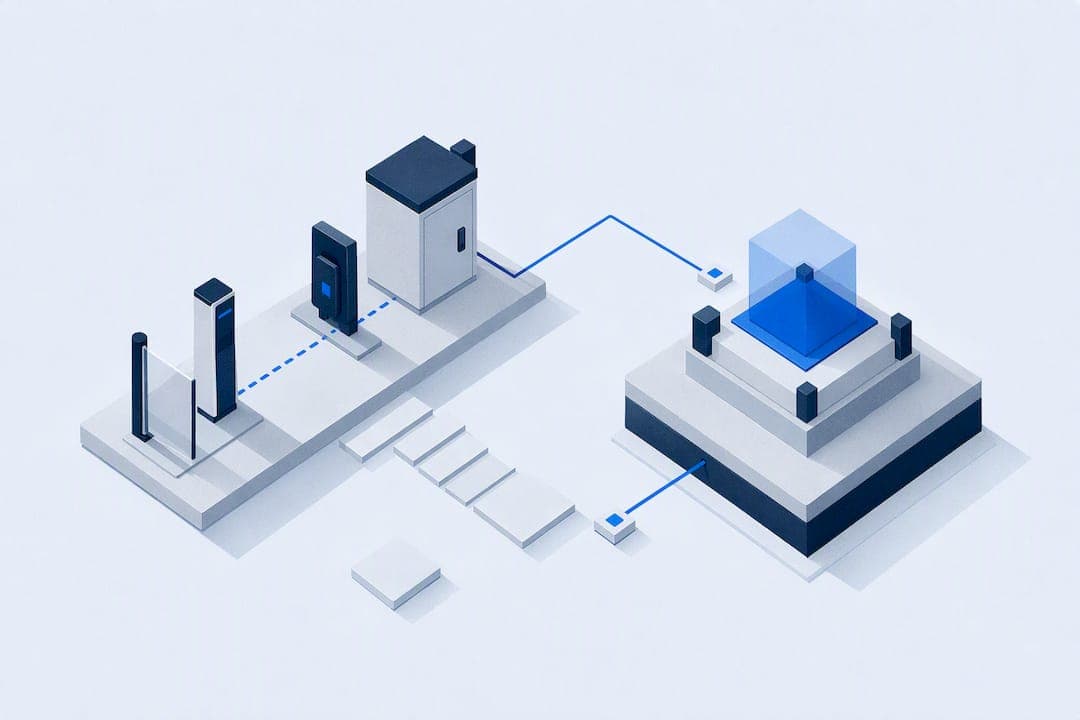
Prioritize OSDP-capable hardware wherever feasible, enforce ANSI/CAN/UL 325 entrapment protections with UL 294-listed controllers, and put gate control on a segmented, monitored network rather than a flat one. Everything else in a gate access integration follows from those three commitments. Execution should move in order: plan the site and stakeholder sign-offs, bench-test devices before install, stage the migration in phases, commission with documented tests, then maintain on a fixed schedule.
TL;DR:
- Using OSDP protocol with verified devices and UL-listed controllers ensures better security, interoperability, and remote firmware updates for gate systems.
- Proper entrapment protections require two independent devices per zone and must be tested during commissioning to meet UL 325 safety standards.
- Segmenting the gate controller network and restricting remote access through jump hosts reduces vulnerability to cyberattacks and protects critical infrastructure.
- Comprehensive planning, bench-testing, staged migration, and documented acceptance tests minimize field failures and streamline project completion.
- Integrating gate data into a unified parking management system enhances operational oversight and links access logs with permits, violations, and payments.
Table of Contents
- Gate types and what each demands from your integration plan
- Choosing OSDP, Wiegand, or IP for reader communication
- Meeting UL 325 and UL 294 requirements before inspection
- Segmenting gate controllers on the network
- Running the integration project from planning to maintenance
- What to require in vendor proposals and contracts
- Why gate data belongs inside your parking records, not beside them
- A unified path for teams ready to connect gate access and parking operations
- Sources
- FAQ
Gate types and what each demands from your integration plan
Gate hardware dictates most of the integration scope before a single credential reader gets specified. Sliding gates need long cable runs along the track, ground or overhead-mounted operators, and photoeyes plus sensing edges to cover the horizontal entrapment zone as the leaf travels. Swing gates create entrapment risk on both the arc of travel and the pivot point, so most installs pair photoeyes with sensing edges on the leading and trailing edges of each panel.
Barrier arms are the simplest mechanically but still need loop detectors for vehicle presence and often a secondary photoeye to prevent the arm from lowering onto a vehicle mid-transit. Vertical lift gates require different structural mounting and typically add a top-of-travel limit switch alongside standard entrapment sensors. Turnstiles fall outside UL 325's vehicular gate scope but still need integration planning for anti-passback logic, ADA-compliant alternate paths, and tie-ins to the same access control panel used for vehicle gates.
- Sliding gates need loop detectors for vehicle presence plus photoeyes and sensing edges along the full travel path.
- Swing gates require entrapment protection on both the arc of travel and the pivot side of each panel.
- Barrier arms rely on loop detectors and a secondary photoeye to catch vehicles mid-transit.
- Vertical lift gates add a top-of-travel limit switch to standard entrapment sensor coverage.
- Turnstiles need anti-passback and ADA alternate-path planning tied into the same access panel as vehicle gates.
Physical layout drives cable and enclosure decisions as much as gate type does. Long sliding-gate runs favor conduit and pull boxes over exposed cable, and any site with hydraulic operators needs space and drainage planning that electromechanical units do not. Outdoor enclosures at coastal or high-humidity sites should specify NEMA 4X ratings. Hydraulic units bring seasonal fluid-viscosity considerations that electromechanical motors avoid entirely.
Choosing OSDP, Wiegand, or IP for reader communication
The protocol decision shapes almost every later step in a gate access integration, and the direction of travel is clear. The Security Industry Association recommends OSDP as the preferred interface for new deployments because it supports bidirectional communication, encrypted Secure Channel sessions, and stronger interoperability between manufacturers than legacy Wiegand ever offered. Wiegand is simplex, unencrypted, and can't confirm that a command it sent actually reached the reader, which makes tampering harder to detect on gates that sit outside a monitored perimeter.
OSDP also supports a file-transfer command set that lets you push firmware updates to peripheral devices remotely, a capability SIA documents in its OSDP vs. Wiegand comparison and one that matters for gates in hard-to-reach or unattended locations. Cabling reality varies by site: RS-485 twisted pair supports OSDP over longer runs than Wiegand tolerates reliably, and networked PoE readers remove the home-run wiring requirement entirely at the cost of switch port budget and power planning.
- Confirm whether existing Wiegand wiring is reusable or should be pulled and replaced with RS-485 twisted pair.
- Select OSDP Verified devices where the budget allows, since verification testing confirms interoperability and Secure Channel support.
- Use converters or gateways to bridge legacy Wiegand readers during a phased migration rather than a single cutover.
- Bench-test each device's addressing, baud rate, and Secure Channel negotiation before it ships to the field.
- Document the bench-test results so the commissioning phase has a baseline to compare against.
SIA's implementation checklist recommends exactly this sequence: verify OSDP Verified status, enable Secure Channel, and confirm addressing and baud settings on the bench before touching a live gate. That same guidance points to converters and gateways as the practical way to migrate readers without shutting down a gate that handles daily traffic or emergency egress.
Pro Tip: Keep a labeled spreadsheet of every OSDP device address and Secure Channel key generated during bench testing. It saves hours during commissioning when a reader won't authenticate.
Meeting UL 325 and UL 294 requirements before inspection
Safety compliance isn't optional paperwork, it's the mechanism that keeps a gate from closing on a vehicle or a person. ANSI/CAN/UL 325 requires two independent entrapment protection devices per entrapment zone with continuous monitoring: if one device fails, the operator must default to a restricted constant-pressure mode rather than continuing normal automatic operation.
UL 294 covers the access control units themselves, and UL's own guidance explains how the two standards overlap: UL 325 governs the gate operator's entrapment behavior, while UL 294 governs the access control equipment that issues the open command. UL notes that building and fire codes including the IBC, NFPA 101, and IFC reference these listings directly, so an uncertified controller can stall a permit even when the mechanical installation is sound.
Before calling for inspection, confirm the following:
- Every operator and controller carries a current UL 325 and UL 294 listing, not a discontinued or superseded one.
- Each entrapment zone has two independent protection devices, tested individually for fault response.
- Simulated sensor failure triggers constant-pressure fail-safe mode, not continued automatic cycling.
- Bench-test and commissioning records, including sensor-fault simulations and Secure Channel negotiation logs, are kept on file for the inspector and for future service calls.
Documented acceptance tests shorten disagreements with vendors later, since a recorded sensor-fault simulation settles most warranty disputes faster than a phone call.
Segmenting gate controllers on the network
A gate controller with a public-facing IP address and no segmentation is one of the easier footholds an attacker can find on a facility network. CISA's joint guide on zero trust for operational technology recommends isolating OT assets like gate controllers on their own segmented network, with firewalls restricting lateral communication rather than letting the gate subnet trust the broader corporate network by default. Avoid shared Active Directory forests between IT and OT: a compromised office credential should never be a path to a gate controller.
Remote access needs its own hardened pattern rather than an open VPN tunnel. The same CISA guidance calls for jump hosts with multi-factor authentication and session recording, credential vaulting through a privileged access management tool, and just-in-time access for vendor connections instead of standing credentials that sit active between service visits. Out-of-band logging keeps a record of what happened on the jump host even if the primary network segment is compromised.

Legacy controllers that can't support modern authentication still need compensating controls: role-based access limits, physical lockdown of unused network ports, and scheduled maintenance windows with an audit trail of who connected and when. None of that replaces segmentation, but it narrows the blast radius when a device predates current security expectations.
Pro Tip: Require vendor remote sessions to go through your jump host, never a device-side remote access tool the vendor installed. It's the difference between an auditable session and an unlogged backdoor.
Running the integration project from planning to maintenance
A gate access integration succeeds or fails on sequencing. Skipping bench testing to save a week on-site almost always costs more than a week once a misconfigured device fails in the field.
- Site survey and stakeholder sign-off. Map every entrapment zone, confirm power and network backbone availability, and get facility, fire, and security stakeholders to agree on scope before ordering hardware.
- Device and cable planning. Decide which runs are reusable RS-485 or need replacement, and order spare parts for anything with a long lead time.
- Bench testing. Set device addressing, negotiate Secure Channel keys, verify firmware file-transfer functions, and simulate sensor faults on the bench, not in the field.
- Staged migration. Bring gates online in phases, using converters or gateways where legacy Wiegand devices remain temporarily in service.
- Commissioning and acceptance. Run documented safety failover tests, confirm sensor monitoring behavior, and get formal sign-off before calling the project complete.
- Maintenance handoff. Set a recurring inspection schedule and confirm who owns firmware updates going forward.
Staging deserves more attention than most schedules give it. Bench-verified devices with confirmed addressing and Secure Channel negotiation go into the field with far fewer surprises, and that stage is also the right time to test integration points with license plate recognition, intercoms, mobile credentials, or a parking management platform before the gate is live.
- Confirm LPR or ANPR camera positioning against actual approach angles, not just spec-sheet coverage claims.
- Test mobile credential enrollment and revocation before opening the gate to real traffic.
- Validate that gate events post correctly to whatever parking or building management system consumes them.
Commissioning should end with a written acceptance package: safety failover results, sensor monitoring logs, a training record for facility staff, and an agreed maintenance interval. That package becomes the reference document the next time a technician needs to know why a device is configured the way it is.
What to require in vendor proposals and contracts
A proposal that skips technical specifics leaves you exposed months after signing. Require it in writing before you sign.
- OSDP Verified devices or an equivalent standard, with UL 325 and UL 294 listings named by model number, not just "UL compliant."
- Documented entrapment monitoring behavior and bench-test evidence delivered before final payment, not promised after.
- A defined firmware-update procedure, including who initiates it and how often it runs.
- Staging and hands-on acceptance tests written into the contract, with named pass/fail criteria.
- Security requirements for any remote access the vendor needs, including MFA and session logging through your jump host.
- Response-time SLAs, spare-parts availability, and a training commitment for facility staff.
- Line-item pricing for cabling replacement, staging hours, integration with LPR or other systems, and any managed-service option, so you can compare bids on equal terms.
Why gate data belongs inside your parking records, not beside them
Gate access data loses most of its value when it sits in a silo separate from guest permits, violations, and payment history. A unified parking platform that consolidates guest access, permits, violations, payments, and towing into one interface gives facility teams a single audit trail instead of reconciling logs across separate systems after an incident.
Deployment flexibility matters just as much as the data model. A platform that supports hosted SaaS, client-hosted installations, or white-label deployment lets a multifamily property, a hotel, or a multi-lot operator choose the model that fits its existing IT constraints rather than forcing a single architecture on every site. That flexibility is what lets a gate integration project connect to the rest of a property's operations instead of becoming one more disconnected system to manage.
— MyParkingMgr
A unified path for teams ready to connect gate access and parking operations
Facility teams that have just specified OSDP hardware, UL-listed controllers, and a segmented network still need somewhere for that gate data to live. A unified system for guest access records, permits, violations, payments, and towing, tied to vehicle history behind gate events, improves operational oversight for multi-property environments.
Configurable workflows and multiple deployment options allow platforms to adapt to existing property operations rather than requiring a rebuild. Onboarding availability can facilitate evaluation of how integrated gate and parking data impacts day-to-day operations. Request a proposal or visit Myparkingmgr to start the conversation.
FAQ
What is gate access?
Gate access refers to the hardware, credentials, and control systems that govern who or what can pass through a vehicle or pedestrian gate. It typically combines a reader or keypad, a controller that verifies the credential, and the gate operator that physically moves the barrier once access is granted.
Can I program my phone to open my gate?
Many modern access control systems support mobile credentials that let a phone act as the access device, usually through a dedicated app or Bluetooth or NFC connection to the reader. Whether your specific gate supports this depends on the controller and reader hardware installed, since older Wiegand-only systems generally lack that capability without an upgrade.
What is the best access control system for gates?
There's no single system that fits every gate, but industry guidance points toward OSDP-capable hardware with OSDP Verified status as the stronger long-term choice over legacy Wiegand, since it adds encryption and bidirectional communication. Pair that protocol choice with a controller and operator that carry current UL 325 and UL 294 listings for safety compliance.
What is gate access software?
Gate access software manages credentials, permissions, and event logs for automated gates, often as part of a broader access control or parking management platform. Platforms like MyParkingMgr extend that function by tying gate events to guest permits, violation records, and payment history in one system rather than keeping them separate.