
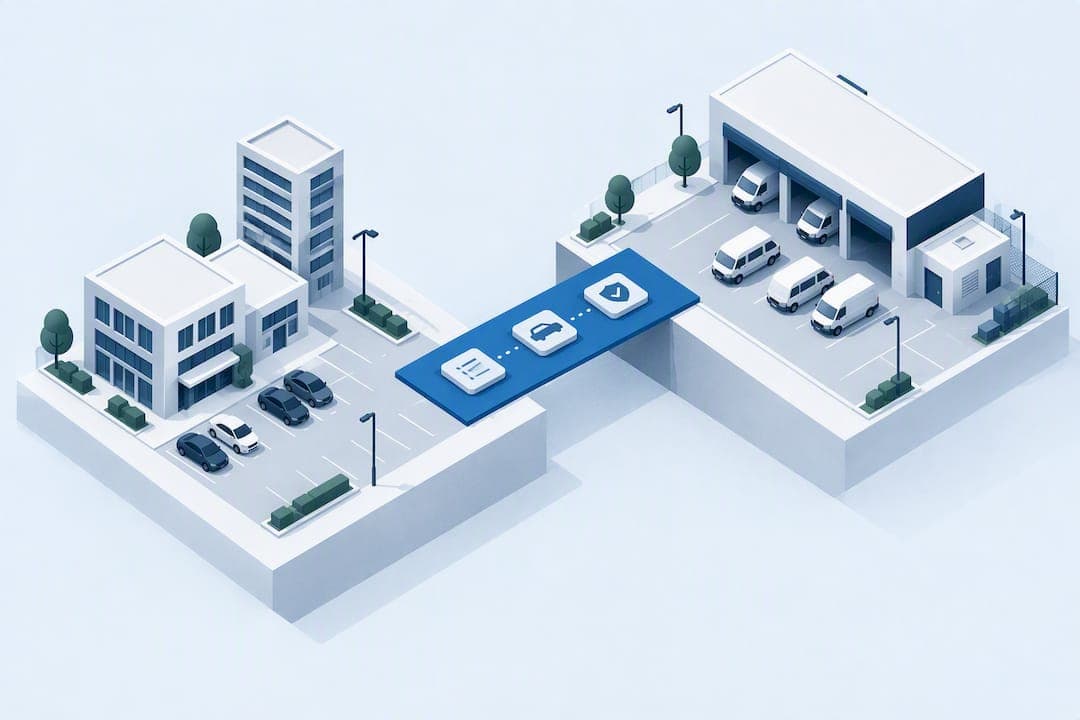
Vendor vehicle tracking means managing vendor parking permits, entry authorizations, and historical vehicle records inside a single system, not chasing paper logs or scattered spreadsheets. The recommended approach is a unified vehicle-record platform built on four pillars: vendor pre-registration, booking windows, automated credential checks through LPR, RFID, or app passes, and timestamped audit logs. Some platforms package these into one workflow, and onboarding can be free.
TL;DR:
- Proper pre-registration and booking windows improve operational efficiency by reducing unscheduled arrivals and expediting pre-approved vehicle clearance.
- Maintaining a unified vehicle record across properties prevents data inconsistencies, duplicate entries, and improves audit trail accuracy during disputes or investigations.
- Implementing phased pilots with clear success metrics and thorough staff training helps identify data or process issues before large-scale rollout.
- Using an integrated platform like MyParkingMgr consolidates vendor permits, credential checks, and enforcement workflows, streamlining multi-property management and reducing manual record reconciliation.
Table of Contents
- Why Vendor Vehicle Tracking Matters for Property Security
- Core Features Every Property Needs for Vendor Access Control
- How to Roll Out Vendor Vehicle Tracking Across a Portfolio
- Metrics, Auditing, and Common Vendor Tracking Pitfalls
- Training Staff and Vendors on the System
- What Pilots Actually Teach You
- Put Vendor Vehicle Tracking on One Platform
- Sources
- FAQ
Why Vendor Vehicle Tracking Matters for Property Security
Unauthorized third-party entry is not a theoretical risk. Security Scorecard data cited by the Security Industry Association found that 29% of breaches involved unauthorized third-party access, and vendor vehicles are one of the most common ways that access happens. A delivery van, a landscaping truck, or a contractor's pickup rolls up to a loading dock or gate every day, often waved through by staff who have no real way to confirm that the driver or vehicle belongs there.
Statistic Callout: Nearly 3 in 10 breaches trace back to unauthorized third-party entry, a pattern the Security Industry Association directly ties to weak vendor and vehicle access controls.
Visitor management systems were built for guests, not vendors, and that distinction matters more than most operators assume. A guest checks in once and leaves. A vendor might arrive weekly, use a loading dock instead of a lobby, and need access tied to a specific bay or delivery window. Bolt a vendor onto a visitor system and you lose the scheduling, recurring-access, and audit detail a dock or gate actually needs.
A dedicated vendor vehicle program pays for itself operationally, not just defensively:
- Fewer unscheduled arrivals clogging loading bays during peak hours
- Faster clearance for pre-registered vehicles at gates and docks
- Cleaner audit trails when a dispute, theft, or damage claim needs investigating
- Less staff time spent verifying vendors manually at every visit
Core Features Every Property Needs for Vendor Access Control
Reliable vendor tracking depends on getting six workflows right, not just buying software with the right feature list.
- Pre-registration. Capture license plate, vehicle type, vendor company name, and driver contact before the first arrival. Incomplete records are the single biggest cause of failed automated checks later.
- Booking windows. Assign vendors specific arrival slots tied to a bay, dock, or tenant, rather than open-ended "sometime today" access. This is exactly what loading dock security guidance recommends to cut down unscheduled traffic.
- Credential checks. License plate recognition (LPR/ANPR) handles routine, repeat vendors automatically. RFID tags and app-based passes cover fleets or contractors without dedicated hardware. Build a clear exception path for temporary plates or one-off deliveries.
- Approval workflows. Separate tenant-level approvals (a resident inviting their own contractor) from property-level approvals (a portfolio-wide landscaping vendor). One-time vendors need a lighter process than recurring ones, who should go through a short induction covering site rules and restricted zones.
- Audit trail detail. Every event should log timestamp, plate, bay or gate used, tenant or unit served, and any flagged anomaly. That level of detail is what dock security practitioners point to when investigations happen after the fact.
- Integration. Tie vendor records into enforcement and towing workflows, payment systems for billed access, and notification alerts when a flagged vehicle shows up unannounced.
Pro Tip: Don't try to automate every vendor interaction on day one. Automate the repeat, high-volume vendors first, and route anything unusual to a guard for manual review. This blended model is what vehicle access control best practices actually recommend, and it keeps human judgment in the loop where it matters most.
How to Roll Out Vendor Vehicle Tracking Across a Portfolio
Rolling this out across multiple properties works best as a phased pilot, not a portfolio-wide flip of a switch.
- Pick one high-volume site and define success metrics. Track pre-registered arrival rate, average check-in time, and exception count before you touch a second property. A facility standardization approach that proves out on one site first avoids costly mistakes at scale.
- Clean your data before you launch. Build a supplier registry, map tenants to their approved vendors, and standardize vehicle record templates so plate formats and company names match across systems.
- Install and test hardware in stages. Position LPR cameras where lighting and approach angles actually work, test barrier reader response times, and confirm kiosk or mobile check-in as a fallback works before go-live.
- Train guards on exception handling first. Automation covers the easy cases. Guards need clear scripts for what to do when a plate doesn't match, a vendor arrives outside their window, or hardware fails.
- Roll out in phases with a monitoring cadence. Move to a second property only after the pilot hits its target metrics for two to four consecutive weeks.
Before expanding beyond the pilot site, run through a short go/no-go check:
- Is the pre-registered arrival rate above your target threshold?
- Are exceptions being logged and resolved, not just waved through?
- Do guards understand the escalation path without checking a manual every time?
- Is the audit export producing complete, readable records for a sample week?
Metrics, Auditing, and Common Vendor Tracking Pitfalls
Four numbers tell you whether the system is working: pre-registered arrival percentage, average clearance time, exception count, and audit completeness.
Statistic Callout: Automation tools that pre-screen vendors and schedule arrivals, as outlined by the Security Industry Association, also generate the kind of data property teams need for supply-chain and staffing analysis, not just security.
Your audit export should include plate, timestamp, bay or gate, tenant served, driver name, and any flagged event, retained long enough to cover typical insurance claim or dispute windows at your property. Common failure points repeat across portfolios:
- Stale plate data causing false LPR rejections
- Inconsistent tenant rules between sister properties confusing recurring vendors
- No manual fallback when hardware or connectivity drops
When automation fails, fall back to a manual check-in script at the gate or kiosk, paired with a temporary paper or app-issued pass logged retroactively into the system.
Training Staff and Vendors on the System
A vendor vehicle system only works if the people using it actually understand it, and that means two separate training tracks. Guards and front desk staff need hands-on walkthroughs of the exception queue: what a flagged plate looks like on screen, how to issue a temporary pass, and when to escalate to a supervisor instead of guessing.
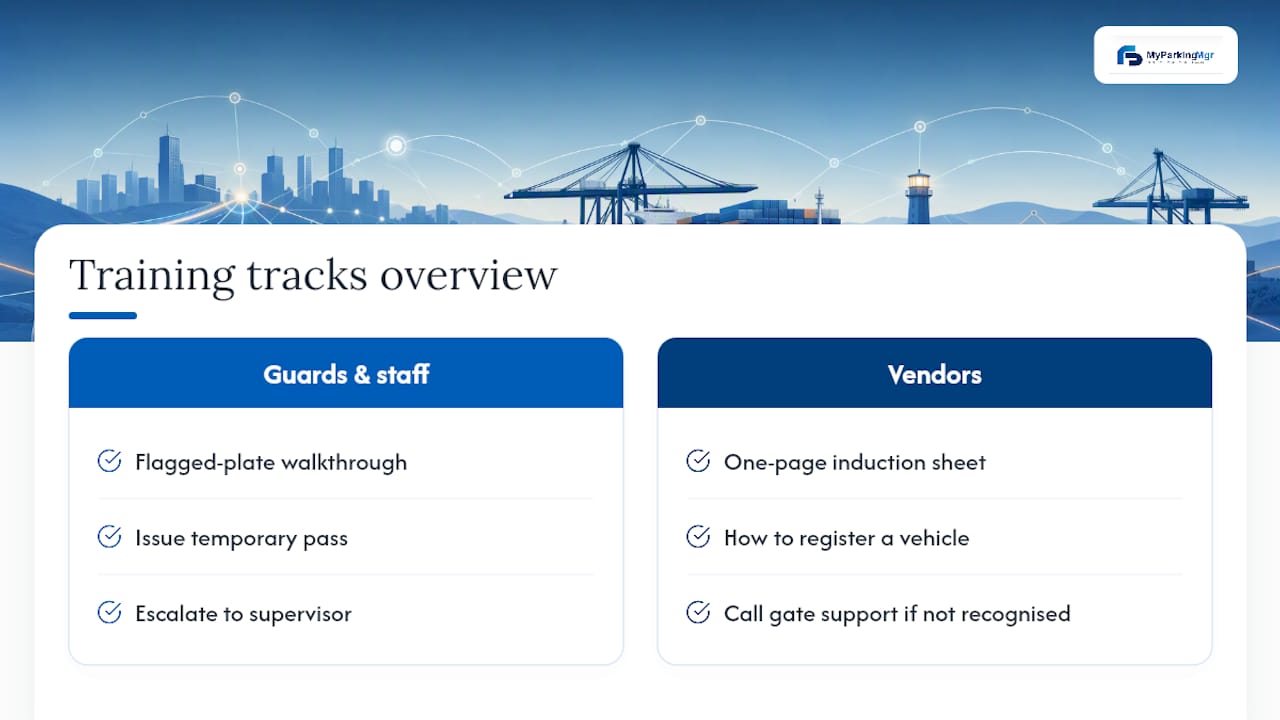
Vendors need a much lighter touch. A one-page induction sheet covering how to register a vehicle, what their booking window means, and who to call if their plate isn't recognized at the gate solves most first-visit confusion. Recurring vendors, like weekly landscaping crews or contracted maintenance teams, should go through this once and then rarely think about it again.
Refresh training whenever you add a new property to the rollout, since tenant rules and bay layouts differ even within one portfolio. A quarterly five-minute refresher for guards, covering any new exception patterns from the past quarter, catches drift before it becomes a security gap. Document every process change in the same place vendors and staff already check for their credentials, not in a separate memo nobody rereads after week one.
What Pilots Actually Teach You
Every pilot we've watched run into the same three surprises. First, data quality breaks the system faster than hardware does. A vendor's plate gets entered wrong once, and every future visit generates a false exception. Second, tenant-level rule differences within one property cause more confusion than differences between properties. Third, guards trust the system slower than managers expect, and rush the exception process to hit their own speed goals.
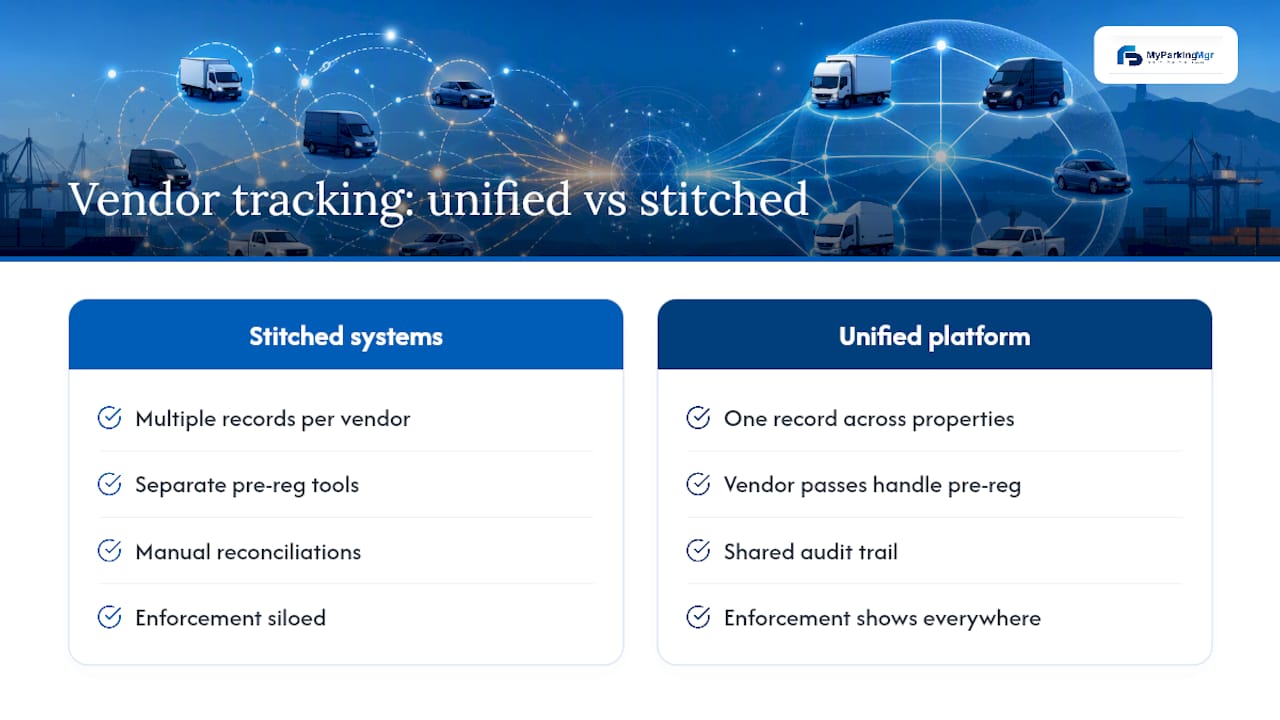
The fix for all three is the same: one unified vehicle record that every workflow, from approval to audit export, pulls from. Duplicate records and disconnected systems create the disputes and enforcement gaps that make vendor tracking feel harder than it needs to be.
— MyParkingMgr
Put Vendor Vehicle Tracking on One Platform
Everything covered here, pre-registration, booking windows, LPR and RFID credential checks, audit trails, and enforcement integration, maps directly onto what MyParkingMgr is built to do. Instead of stitching together a visitor system, a spreadsheet, and a separate towing vendor, you get one unified vehicle record across every property in your portfolio, with vendor parking passes that handle pre-registration and time-bound access in the same place you manage guest and resident permits.
For multi-property teams, that unified record is the real advantage: no re-entering the same landscaping vendor's plate at three different properties, no reconciling three separate audit exports after an incident. Enforcement and towing workflows plug straight into the same vehicle history, so a flagged vendor at one property shows up flagged everywhere else too.
Onboarding may be free, which can make piloting the approach on one property low-risk before rolling it out across a portfolio. Request a proposal to see how it maps to your current vendor list and property layout.
Sources
The Security Industry Association's overview of vehicle and vendor risk grounds the security case for dedicated tracking. Veyor Digital's loading dock security guide covers pre-registration and booking window mechanics in detail. Overton Security Services' vehicle access control guide explains the blended automation-plus-guard-review model referenced throughout the implementation sections.
- The Risk of Overlooking Vehicle and Vendor Management - Security Industry Association
- Commercial Building Loading Dock Security: Vendor Access Management
- Vehicle Access Control: 2026 Solutions & Best Practices - Overton Security Services
FAQ
What Is Vendor Vehicle Tracking?
Vendor vehicle tracking is the practice of managing vendor parking permits, entry credentials, and vehicle records inside one system rather than through paper logs or ad hoc guard checks. It covers pre-registration, booking windows, credential verification, and timestamped audit logs for every vendor arrival.
How Is Vendor Tracking Different From Visitor Management?
Visitor systems handle one-time guest check-ins, while vendors often need recurring access tied to specific bays, docks, or time windows. Treating vendors like generic visitors typically leaves gaps in scheduling, induction, and audit detail that dedicated vendor workflows are built to close.
What Should an Audit Export Include?
A complete audit export needs the vehicle plate, arrival and departure timestamps, bay or gate used, tenant served, driver name, and any flagged exception. Retain records long enough to cover typical insurance or dispute investigation windows at your property.
How Much Does MyParkingMgr Cost?
Current pricing for MyParkingMgr is available directly on the site, and onboarding is free regardless of the deployment option you choose. You can request a proposal to get pricing specific to your portfolio size.
What Happens When LPR or Hardware Fails?
Properties should have a manual fallback, like kiosk or mobile driver check-in, ready for moments when automated credential checks go down. This keeps timestamped, verifiable records flowing even without functioning hardware.