
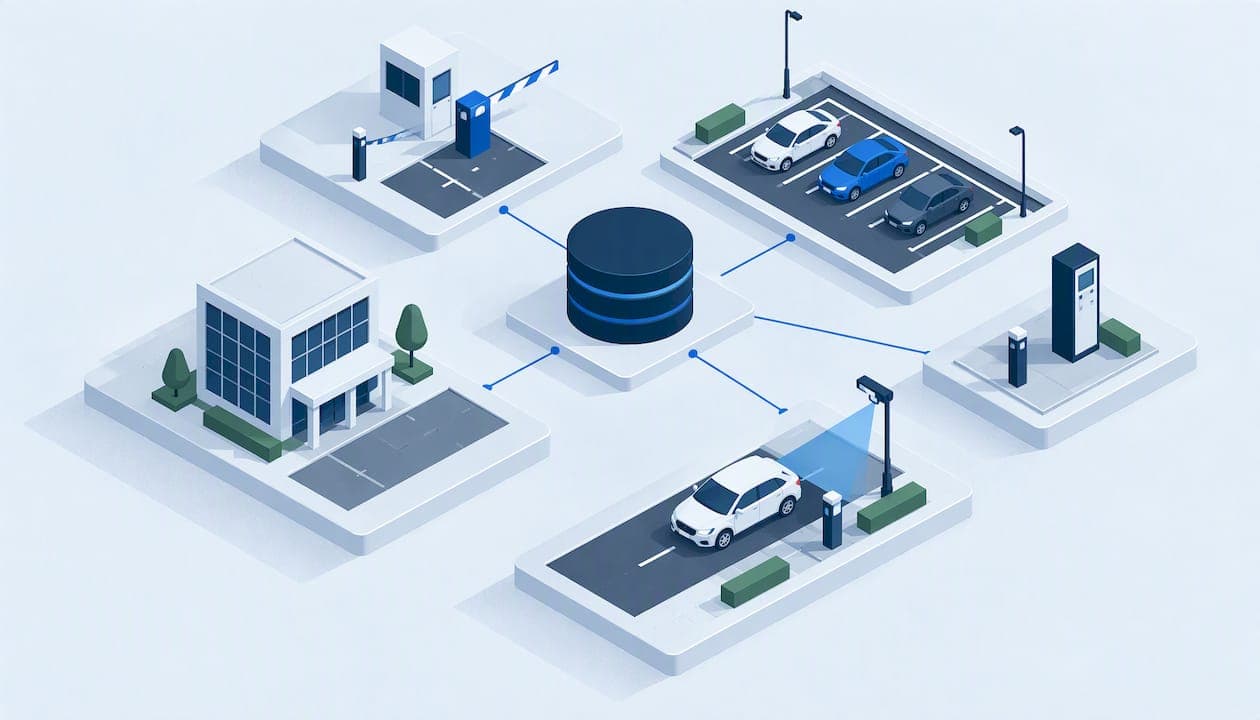
SaaS parking management is software you subscribe to and use through a browser to run permits, guest access, violations, payments and towing, with no server of your own to maintain. For a property manager or multi-property operator, the real question is whether one connected system can replace the spreadsheets, paper logs and separate tools you use now. This guide explains what these platforms do, where the trade-offs sit, and how to test a system against your own properties before you sign.
TL;DR
- SaaS parking management is a subscription platform for operators: permits, access, enforcement, payments and reporting in one place, reached remotely.
- The biggest gain for multi-property teams is a single record of vehicles, permits, violations and payments, so decisions rest on history rather than memory.
- Cloud, client-hosted and hybrid setups each trade convenience against local control, so pick the deployment that fits your internet reliability and IT policy.
- Judge any vendor on your real scenarios: role-based access, audit trails, data security, migration and training, not on a feature list.
- Start with a written requirements document, shortlist only vendors that meet your non-negotiable integrations, and ask for a live demo of your own workflows.
Table of Contents
- What SaaS parking management actually is
- Which parking workflows a platform should handle
- How one platform supports many properties
- Cloud, client-hosted or hybrid: choosing a deployment
- What to assess: integrations, reporting and audit controls
- Data security and privacy
- Implementation and adoption
- Benefits and trade-offs versus manual or disconnected systems
- A practical way to test fit
- Our perspective
- See it on your own properties
- FAQ
- Sources
What SaaS parking management actually is
A parking management SaaS platform gives operators a set of tools, usually permit management, access control software and analytics, delivered on a subscription basis. Industry coverage of parking-as-a-service models describes this as the shift from buying and installing software to paying for a hosted service.
For the buyer, the practical differences are these:
- No on-site server. A U.S.-focused SaaS buyer guide from Facility Parking Guide notes that cloud platforms reduce on-site IT infrastructure, update automatically and can be accessed remotely.
- Remote, multi-site access. Staff at a regional office can see the same data as the person at the gate or front desk.
- Recurring cost instead of a large upfront license. You trade capital spending for a predictable subscription.
This article is written for the people who administer parking policy: property managers, hotel operations teams, HOA and community directors, and parking lot operators. It is not about apps that help drivers find a space.
Which parking workflows a platform should handle
Most operators do not have one parking problem. They have five or six, each handled in a different place. A useful platform brings them under one roof and ties them to the same vehicle and property record.
Resident and vendor permits
Permits are the foundation. The system should issue, renew, limit and revoke permits by property, unit, vehicle and user type. Residents, staff, contractors and vendors usually follow different rules, so look for configurable permit types, quantity limits per unit, and expiration handling that does not depend on someone remembering to check a calendar.
Guest and visitor parking
Guest parking is where manual processes break first. Paper passes, phone calls to the office and shared spreadsheets leave gaps that drivers exploit and staff cannot audit. Digital registration lets a visitor or a host register a vehicle for a set window, and lets enforcement staff verify it on the spot. Our own guest parking management module is built around that idea, and hotels in particular benefit when guest vehicles are tied to a stay rather than tracked by hand.
Violations and enforcement
A violation is only enforceable if the record behind it is solid. A good system captures the vehicle, location, reason, evidence and the permit status at that moment, then carries the case through notice, payment, dispute and escalation. It should also keep the history, so a repeat offender is visible as a pattern, not as ten unrelated tickets. See how violation management can be organized in one workflow.
Payments and fines
Payments should land against the right vehicle and case automatically. A city parking-services request for proposals, such as the Grandview Heights 2024 RFP, asks for online citation payment and dispute handling, which shows how standard these expectations have become. Private operators face the same expectation from residents: pay online, get a receipt, and see the case closed. Learn more about online parking fine payments.
Towing and booting
Towing is the highest-risk workflow, legally and financially. The same RFP calls for boot or tow programming within the parking system, which reflects what operators need: a documented trail from the violation to the tow authorization to the release. Whatever you choose, confirm how the platform records who authorized each tow, when, and on what evidence. Tow and booting rules vary by state and municipality, so confirm your local requirements with counsel or the local authority before you configure automated steps.

How one platform supports many properties
Running one building is a workflow problem. Running twenty is a data problem. A multi-property operator needs to answer questions that span the portfolio:
- Which properties generate the most violations, and are they enforced consistently?
- Does a vehicle banned at one site show up at another?
- How much fine and permit revenue was collected per property this quarter?
- Which on-site staff made which changes?
Cloud-hosted systems are well suited to this. According to Parking Equipment Guide's 2023 overview of access control platforms, cloud-hosted PARCS software can offer a unified system, automatic vendor updates, multi-site management through one interface and no on-site server maintenance.
In practice, you want three things from a multi-property setup:
- Shared record, separate rules. Each property keeps its own permit types, hours, fees and policies, while the operator sees everything in one place.
- Role-based users. A site manager sees one property, a regional director sees a group, and corporate sees the portfolio.
- Portfolio reporting. Violations, permits and payments roll up without exporting to a spreadsheet.
This is the design goal behind our multi-property parking management approach. Hotels, multifamily communities and commercial lots share the same underlying needs, though the rules differ. A hotel cares about guest stays and valet overflow, a community about resident and visitor limits, and a commercial parking lot about transient and monthly users.
Cloud, client-hosted or hybrid: choosing a deployment
SaaS does not have to mean one rigid hosting model. Parking Equipment Guide frames cloud, on-premise and hybrid architectures as a trade-off between centralized convenience and local resilience and control. Hybrid designs can keep core lane processing local while management and reporting run in the cloud.
| Factor | Hosted SaaS | Client-hosted | White-label |
|---|---|---|---|
| Who runs the servers | The vendor | Your IT team | Typically the vendor or you, by agreement |
| Updates | Automatic | Scheduled by you | By agreement |
| Remote multi-site access | Built in | Depends on your network setup | Built in or custom |
| Best fit | Teams that want low IT overhead | Organizations with strict data policies | Management companies that sell parking services under their own brand |
| Main consideration | Needs a reliable internet connection and vendor-hosted data | You carry the maintenance | Branding and support terms to agree |
MyParkingMgr is offered as hosted SaaS, as a client-hosted installation or as a white-label option, so the deployment decision can follow your policies rather than the other way round. Whichever route you take, ask what happens when the connection drops. Cloud systems depend on internet access for full function, while local systems keep running offline, so sites with gates or enforcement hardware deserve a specific question about offline behavior.
What to assess: integrations, reporting and audit controls
Feature lists look alike. The differences show up in how the system handles control and evidence.
Role-based access and activity logging. The NIST reference design for securing property management systems recommends role-based access, activity logging, anomaly monitoring, tokenization of payment data, allowlisting and controls against privilege escalation. Those are sound questions for any parking vendor. Can a front-desk user void a violation? Is the change logged with name and time? Can you export that log?
Audit trail on the vehicle record. If permits, guest passes, violations, payments and tows are all attached to one vehicle history, a dispute becomes a lookup. If they live in separate tools, someone has to reconstruct the story.
Integrations. List what you cannot live without: payment processors, property management or hotel systems, enforcement hardware, data exports. The Facility Parking Guide perspective is that buyers should verify API, reporting, mobile and scale capabilities rather than assume them, and that non-negotiable integrations should be confirmed before a vendor makes the shortlist.
Reporting. Ask to see the actual reports for your use case: violations by property, revenue by permit type, activity by user. A dashboard that looks good in a demo may not export what your owner or board asks for.
A full overview of our feature set is on the features page.

Data security and privacy
Parking records are personal data. A 2024 privacy impact assessment from the Presidio Trust notes that parking transaction data can include plate number, date, time, duration, zone and amount paid, and describes encryption, secure transmission, restricted roles and retention limits as safeguards.
Use that as a checklist when you talk to vendors:
- Is data encrypted in transit and at rest?
- Who can see plate and payment information, and can roles be restricted?
- How long is data retained, and can you set the period?
- What are the backup and disaster recovery arrangements? The Grandview Heights RFP asks bidders about secure access, backups, disaster recovery and protections against unauthorized manipulation of software or data.
- Can the vendor describe its independent security attestation? Guidance on SOC 2 reports for SaaS explains why a vendor-supplied attestation can shorten long security questionnaires, so ask whether one exists and what it covers.
If you handle payments, ask how card data is processed and whether it ever touches your own systems. Tokenization, as the NIST design recommends, keeps sensitive card details out of your records.
Implementation and adoption
Software that nobody uses is the most expensive kind. The Facility Parking Guide buyer guide suggests checking the implementation method, which fees are included, go-live timing, how historical data is migrated, role-specific training, documentation and dedicated launch support. Turn that into questions:
- Migration. Can existing permits, vehicle lists and violation history be imported? A system that starts empty loses the enforcement history that makes it valuable.
- Training by role. Site staff, enforcement officers, office administrators and executives need different sessions.
- Resident and guest communication. Residents and visitors adopt a portal when it is simple and when the notice they receive explains how to use it.
- Phased rollout. Many teams pilot with one or two properties, fix the workflows, then roll out across the portfolio.
- Support. Find out who you call during the first weeks and what is included in the price.
On our side, on-boarding is free ($0, one-off), so launch help is not an add-on line item.
Benefits and trade-offs versus manual or disconnected systems
Compared with spreadsheets, paper passes and separate tools, a connected platform removes duplicate entry, makes enforcement consistent and gives you a defensible record. The trade-offs are the ones every SaaS purchase carries: a recurring fee, dependence on internet access for full function and data hosted by a vendor, as the Parking Equipment Guide analysis puts it. All of them are manageable when you ask the right questions up front: pick a deployment that matches your connectivity, define data ownership and retention in the contract, and plan an offline procedure for gate or enforcement sites.
A practical way to test fit
The buyer guide's advice is to start with a requirements document covering functional needs, integrations, reporting, mobile and remote access, and scale, then to test real operating scenarios in demos. Here is a simple version:
| Step | What to do | What good looks like |
|---|---|---|
| 1. Write requirements | List workflows, user roles, properties, integrations and reports | One page your whole team agrees on |
| 2. Mark non-negotiables | Identify integrations and security needs that are deal-breakers | Vendors that fail are dropped before demos |
| 3. Script scenarios | Prepare 5 to 8 real cases: a guest overstay, a disputed ticket, a tow, a vendor permit | The vendor performs them live, not from slides |
| 4. Check records | Follow one vehicle across permit, violation and payment | A single history, with an audit trail |
| 5. Review security and migration | Ask for the security answers and migration plan in writing | Clear, specific answers |
| 6. Pilot | Start with one or two properties | Staff use it without workarounds |
During the demo, try the awkward cases. What happens when a tenant moves out with an open violation? When a vehicle is registered at two properties? When a user is promoted or leaves? These show how configurable the workflows are.
Our perspective
Most parking problems we see are not caused by too little effort. They come from too many disconnected places where the truth lives: a guest list in one tool, permits in another, tickets in a notebook, payments somewhere else. Each handoff is a place for an error and a dispute.
That is why we built MyParkingMgr around a unified record. Guest access, permits, violations, payments and towing sit against the same vehicle history, so the person making a decision can see what happened before. Audit capabilities and customizable workflows mean the platform adapts to how a property operates, rather than forcing every property into the same template.
We also think deployment should be your choice. Some organizations want hosted SaaS and no servers. Others need a client-hosted installation or a white-label version under their own brand. We support all three, and we aim to be disciplined about what the platform does today, so you can evaluate it against your own scenarios.
MyParkingMgr
See it on your own properties
If you manage multiple properties, hotels, communities or commercial lots, the fastest way to judge a platform is to run your own scenarios through it. MyParkingMgr offers free on-boarding ($0, one-off), so you can assess the platform and set up your first properties without a launch fee. Start from our parking management software overview, or contact our team to walk through your workflows.
We also publish city pages for operators in New York City, Los Angeles, Houston, Atlanta, Philadelphia and San Diego.
FAQ
What is SaaS parking management software?
It is a subscription platform that gives parking operators tools for permits, access control, enforcement, payments and reporting, delivered over the internet. You use it through a browser instead of installing and maintaining servers. Updates are handled by the vendor.
Can one platform manage parking at several properties?
Yes, if it supports a shared record with separate rules per property and role-based users. Site managers then see their own property, and regional or corporate users see the portfolio. Ask to see portfolio-level reports in a demo before you commit.
Is cloud hosting the only option?
No. Cloud, on-premise and hybrid architectures all exist, each trading convenience for local control. MyParkingMgr is available as hosted SaaS, client-hosted or white-label, so you can match the deployment to your IT and data policies.
What should I ask a vendor about security?
Ask about role-based access, activity logging, encryption, data retention, backups and disaster recovery, and how payment data is protected. Request the answers in writing and ask whether the vendor has an independent security attestation.
How long does implementation take?
It depends on the number of properties, the data you need to migrate and the integrations involved. Ask each vendor for a written timeline that covers migration, role-specific training and launch support, and consider piloting at one or two properties first.
Sources
- Parking-as-a-Service: Platform Business Models Transforming Parking
- Evaluating SaaS Parking Management Software: A Buyer's Guide
- Parking Access Control Software Guide: PARCS Platform Overview
- Securing Property Management Systems (NIST SP 1800-27B)
- City of Grandview Heights RFP: Parking Services 2024
- Presidio Trust Privacy Impact Assessment: Parking Mobile Payments, 2024
- SOC 2 for SaaS