
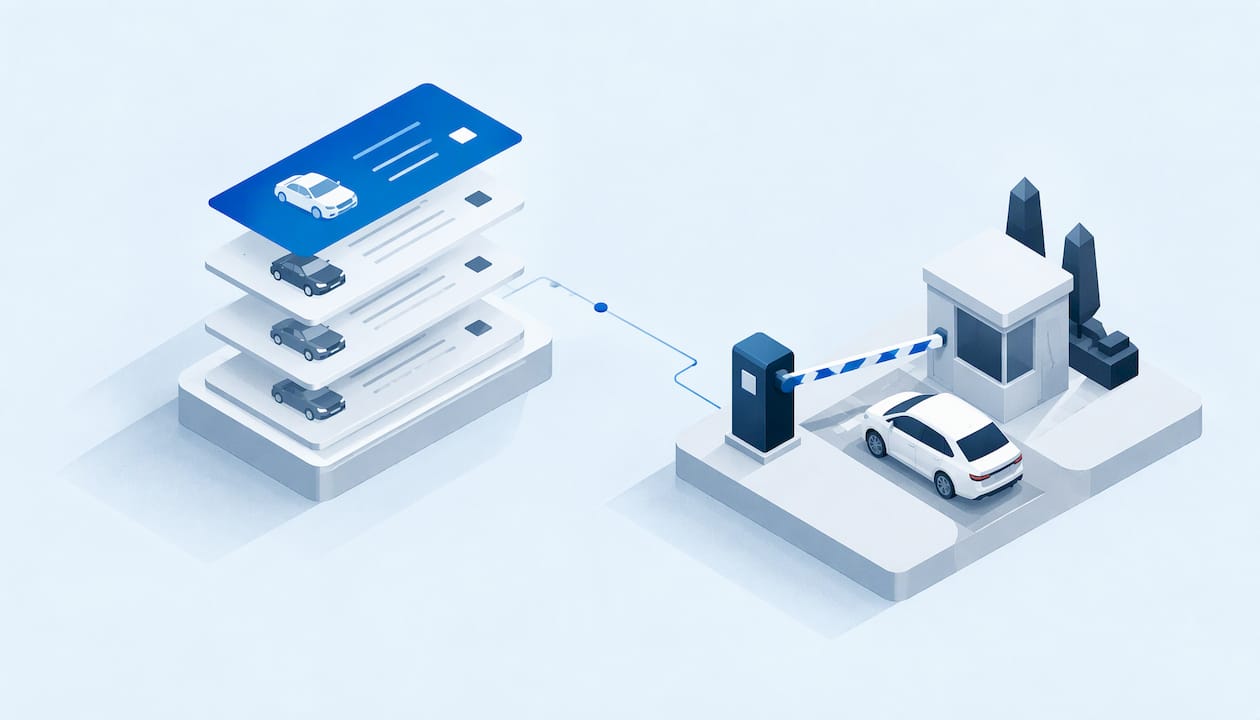
In property and parking management, vehicle history tracking means keeping one running record of every vehicle that touches your lots: when it arrived, which permit or guest pass it used, what violations it picked up, what it paid and whether it was ever towed. It is not a used-car VIN report and it is not GPS route history. It is your own operational record, and it works best when permits, violations, payments and towing all write to the same place.
This guide explains what that record can contain, where the data comes from, how it differs from the reports that dominate search results, and how to keep it accurate and defensible across one property or fifty.
TL;DR
- A property vehicle history is an operational log tied to a plate: entries, permits, guest passes, violations, payments and tow events, not a title or repair report.
- Plate-based records come from permit databases, guest registration, enforcement patrols and license plate recognition (LPR) cameras, and they are only as good as the data you feed them.
- Keep only what you need. Published privacy guidance suggests 30 to 90 days for plate reads with no transaction attached, and longer only when a record is tied to enforcement.
- Fragmented tools break the history. One unified record, with audit trails and role-based access, makes disputes and portfolio reporting much easier.
- Reports of any kind show what was recorded, not everything that happened, so pair records with human review.
Table of Contents
- What vehicle history tracking means on a property
- What a property's vehicle record can include
- How histories are recorded and retrieved across locations
- Putting the record to work
- How accurate are the records, and what can be missing?
- How this differs from a VIN report or GPS history
- Privacy, access and retention
- Our perspective
- See your own vehicle histories in one place
- A simple rollout plan
- FAQ
- Sources
What vehicle history tracking means on a property
Search for the phrase and you will mostly find used-car tools: VIN lookups that show accidents, title brands and odometer readings, plus guides to checking a car's GPS trail. Those serve a buyer or a fleet owner. A property manager asks a different question: who is this vehicle, what is it allowed to do here, and what has happened with it before?
A property vehicle history answers that. Picture a resident's car. Its record might show the permit issued in March, a guest pass it was once registered under, two violations last year, a paid fine and a clean record since. When a complaint arrives, nobody reconstructs the story from emails, spreadsheets and a vendor's tow slip. The story is already there.
That is the idea behind our platform: we built it so access, permits, violations, payments and towing sit in a single record rather than in separate tools, and so charges and decisions can be tied back to that vehicle's history.
What a property's vehicle record can include
The fields depend on how you collect data, but they fall into a few groups.
Identity and access data
The core is the plate and its state. Add the vehicle's make, color and model if your staff record them, the resident, tenant, guest or vendor it is linked to, and the permit or pass type. Valid-from and valid-to dates matter as much as the plate itself, because a plate with an expired permit is a different case from one with no permit.

Activity data
If you use LPR, a transaction record can include plate number, state, a confidence score, a timestamp, a lane or location, a transaction ID and, where applicable, a vehicle image, according to a parking technology guide on LPR privacy. That same guide advises evaluating each field against operational necessity. Mobile systems work similarly: Cal State LA's parking department describes vehicle-mounted cameras and handheld devices that record location coordinates and the date and time vehicles use campus parking facilities.
Enforcement and money data
Violations, warnings, photos taken by staff, notes, fines issued and paid, appeals and tow requests all belong in the history. This is where fragmented systems hurt most. If the ticket lives in one tool and the payment in another, nobody can say with confidence whether a repeat offender has ever paid.
| Record type | Typical fields | Where it comes from |
|---|---|---|
| Permit | Plate, holder, type, start and end dates, status | Resident, vendor or staff registration |
| Guest pass | Plate, host unit, duration, approval | Guest or host self-registration |
| LPR read | Plate, state, confidence, time, location, image | Fixed or mobile cameras |
| Violation | Type, evidence, officer, time, outcome | Patrol, camera alert, staff review |
| Payment | Amount, date, method, reference | Payment processor or office |
| Tow event | Request, authorization, vendor, release | Manager approval and tow operator |
How histories are recorded and retrieved across locations
The hard part is not capturing a plate. It is finding every time that plate appeared, across lots, buildings and months. Systems built for this store plates and vehicle details from multiple cameras and locations and let you search by plate or another category across selected locations and a defined time range, as one vendor's developer documentation describes for its surveillance package.
For a multi-property operator, the practical rules are simple:
- Use one plate format. Normalize case, spaces and state so "abc 123" and "ABC123" are the same vehicle.
- Give every property the same record structure. Portfolio reports only work if a violation means the same thing in every building.
- Search by plate and by time window. A manager should be able to ask for everything on one vehicle in the past 90 days, or every repeat event at one property.
- Keep the permit and enforcement data in one system. If an LPR read must be compared with a permit list in a different tool, mismatches creep in.
Teams that want to see how plate reads move through an operation can read how parking operations track vehicle activity across facilities, then apply the same discipline of one log per asset. Our own platform handles the portfolio view through multi-property reporting and custom workflows.
Putting the record to work
A history is only worth keeping if it changes decisions. Here is where it pays off.
Guest parking
A guest pass is a short-lived permit. The history shows how often the same plate returns as a guest, which is usually the first sign that a "guest" actually lives or works on site. Access categories with expiry dates, like those in the vendor documentation above, mirror what a good guest workflow needs. See how guest parking management ties passes to records.
Permits
Permit status plus plate history makes verification fast. Cal State LA notes that its LPR data is linked to student, faculty, staff and patron accounts for permit verification purposes only, a useful model: the purpose is stated, narrow and written down. If you suspect sharing or copying, our post on four permit fraud checks shows what to look for in the data.
Violations
The history lets you apply your policy consistently: a first offense gets a warning, a third gets a fine, a fifth gets a tow request, and every step is visible. Alerts help, but a camera match is a prompt, not a verdict. We explain why in why ALPR alerts need human review, and the policy side in our guide to LPR enforcement policy and verification. The workflow itself lives in parking violation management.
Payments
When a fine or a fee is tied to the vehicle's record, collections and appeals stop being a search through inboxes. You can see what was charged, when and why. If you retain payment data, note that one parking privacy guide says raw payment-card data should not be retained.
Towing
A tow is the highest-stakes action a property takes, and the one most likely to be disputed. A clean history, with the permit status, the warnings, the photos and the authorization all attached, is your best protection. Our towing management module keeps that trail together.
How accurate are the records, and what can be missing?
No record is perfect. Plate reads carry a confidence score for a reason, and our overview of LPR accuracy rates explains what operators can reasonably expect. Typos in resident-entered plates, new vehicles that were never registered and plates from other states all create gaps.
The same caution applies to the used-car reports people also search for. AAA's guidance says such reports may miss unreported accidents, undocumented repairs and hidden damage, and that recent events may not yet appear because of reporting delays. The principle carries over to your lot: a record shows what was captured, not everything that happened.
Three habits keep a property record trustworthy:
- Review before action. A person confirms any alert before a ticket or tow.
- Correct errors fast. Give staff a way to fix a plate and keep the correction in the audit trail.
- Track timeliness. Know how long it takes from event to entry, so no one acts on a stale record.
How this differs from a VIN report or GPS history
The distinction is worth spelling out, since the search results blur it.
| Property vehicle history | VIN history report | GPS route history | |
|---|---|---|---|
| Who owns the data | The property or operator | State agencies, insurers, salvage sector | Vehicle owner or fleet |
| Key identifier | License plate | VIN | Device or vehicle |
| Shows | Permits, passes, violations, payments, tows on your premises | Title, brands, odometer, theft, salvage | Routes and past locations |
| Used to | Run and enforce a parking policy | Judge a used car | Monitor vehicle use |
The National Motor Vehicle Title Information System (NMVTIS) is the federal source behind many VIN reports. Its records cover current and previous state of title, issue date, latest odometer data, theft history, brands and salvage history including total-loss designations, as the DC DMV's NMVTIS FAQ explains. It does not hold repair history, according to the federal NMVTIS FAQ. Its data also arrives at different speeds: some states report in real time while others send updates daily or within days.
Completeness is a live issue too. The Bureau of Justice Assistance reports that of vehicles reported in fiscal year 2024, 62% had a final disposition reported while 38% were still pending. And AAMVA states that a history report is not a substitute for an independent inspection.
For a property manager the takeaway is that a plate on your lot does not reveal title, brand or repair information, and you do not need it to. If a legal ownership question comes up, such as an abandoned vehicle, that is a matter for a title search, the kind a local attorney handles, as with how a state title search works in Rhode Island. Parking enforcement needs your own record: permit, behavior and outcome.

Privacy, access and retention
A vehicle history is personal data the moment it is linked to a resident. Treat it that way from the first day.
Collect only what you need
One privacy guide says a key compliance strategy is capturing and retaining only data that is operationally necessary, and that keeping raw images after text recognition completes adds exposure without operational benefit.
Set retention by category
The same publication notes that some states set limits: Illinois has a 60-day limit for general ALPR data and Minnesota has 60 days for non-criminal-justice use, while other states call for checking current law. A separate guide suggests 30 to 90 days for LPR records without a transaction, and for records tied to enforcement, the length of the matter plus standard retention. It also recommends an accessible privacy notice covering what you collect, why, how long you keep it and who gets it. Confirm your state's rules with your attorney before you set a schedule.
Limit and log who looks
Cal State LA describes login and password access that documents every access by name, date and time, with approved users allowed to view the data for parking management purposes only. AAMVA's best-practices guide likewise points to system and user audits as part of program policy. For the physical side of safeguards, from cameras to door control, see this overview of car park security systems. Role-based users and audit trails are the software half of the same job.
Our perspective
We see the same pattern at nearly every multi-property operator we talk to: the permit list is in one place, the violation log in another, payments in a third, and the tow company's records in an email thread. Each tool works. The history does not, because no one can see a vehicle's whole story.
That is why we built MyParkingMgr around a unified record. Guest access, permits, violations, payments and towing write to the same vehicle history, with audit trails behind every change, so a manager can answer a resident's dispute from facts rather than memory.
We also believe the record should fit the operation, not the other way around. Workflows are customizable to each client's policies, and the platform can run as hosted SaaS, as a client-hosted installation or as a white-label product, depending on what your organization needs. For portfolios, that means the same record structure across every property and reporting that rolls up cleanly.
Technology flags and records. People decide. A strong history is what lets them decide quickly and fairly.
MyParkingMgr
See your own vehicle histories in one place
If your permits, violations, payments and tows still live in separate tools, a unified record is the fastest fix. MyParkingMgr is parking management software for multifamily properties, hotels and parking lot operators, with role-based users, audit trails and portfolio reporting. On-boarding is free, listed at $0 one-off.
To see how it would fit your properties, request a qualified trial or contact our team. If you want to understand how records feed policy first, read four reports that defend your permit policy.
A simple rollout plan
- List your record types. Permits, guest passes, violations, payments and tows. Note where each lives today.
- Define the vehicle as the anchor. Every record links to a normalized plate and state.
- Write retention rules. One schedule per category, checked against your state's law.
- Assign roles. Leasing staff, patrol and managers see different things, and every view is logged.
- Pilot at one property. Compare dispute handling time before and after, then expand. Data from the pilot can also feed parking data analytics and capacity decisions.
FAQ
Is vehicle history tracking the same as a VIN history report?
No. A VIN report summarizes title, brand, odometer and salvage information from state and industry sources. A property vehicle history is your own log of what a plate did on your premises: permits, passes, violations, payments and tows.
What should a property keep in a vehicle record?
Keep the plate and state, the linked resident, guest or vendor, permit status and dates, and enforcement and payment outcomes. Add images or location data only where they serve a stated purpose, since privacy guidance advises evaluating every field against operational necessity.
How long should we keep plate data?
It depends on the record and your state. One industry guide suggests 30 to 90 days for plate reads with no transaction, longer for records tied to enforcement, and some states set limits such as 60 days. Check current state law with your attorney.
Can one system track vehicles across several properties?
Yes, if every property uses the same record structure and plate format. That lets you search by plate and time range across locations and report on the whole portfolio, not building by building.
Do automatic plate reads replace staff judgment?
No. Reads carry confidence scores and can be wrong, so a person should confirm an alert before a ticket or tow. The record supports the decision; it does not make it.
Sources
- LPR Data Privacy and Compliance: Managing License Plate Data
- Cal State LA: LPR Data Collection and Privacy
- Vehicle Surveillance Package documentation
- AAA: Vehicle History Reports, What They Don't Tell You
- DC DMV: NMVTIS Frequently Asked Questions
- NMVTIS Frequently Asked Questions
- NMVTIS 2024 Annual Report
- AAMVA: NMVTIS Consumer Access Product Disclaimer
- Parking Data Privacy Compliance: CCPA, DPPA, and LPR Data
- AAMVA: License Plate Reader Program Best Practices Guide
- Tracking vehicle activity across facilities
- Car park security systems
- How a state title search works