
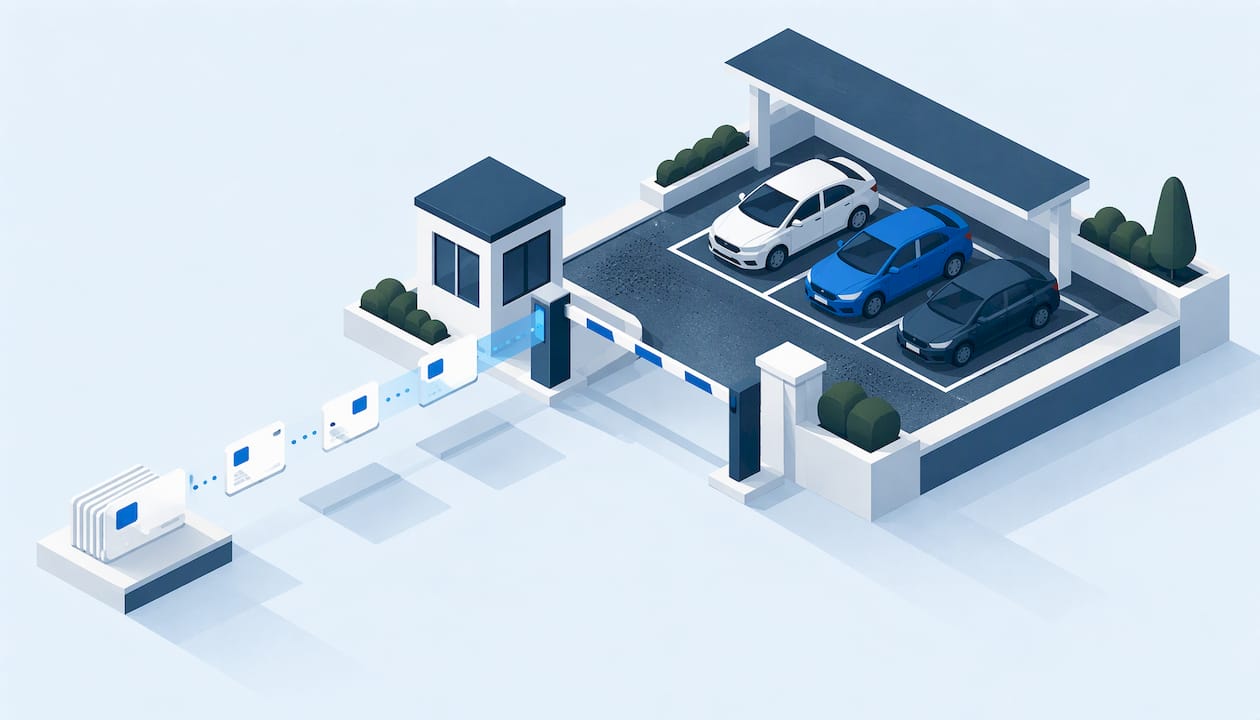
Residents adopt a parking app when it replaces a chore they already dislike, and when someone shows them how to use it. Treat the rollout as a change-management project, not a software install. Pick one system of record, register vehicles in a planned wave, give every resident a path that fits their situation (phone, paper, a person), and report on the results. Do that and the app becomes the way parking works at your property instead of one more portal nobody opens.
This guide is for property managers, multi-property operators, hotel managers and community directors who run parking for residents, guests and vendors. It covers what the app should do, how to plan the rollout, how to bring along residents with limited digital access, and what to settle on data security before launch.
TL;DR
- A resident parking app for a property is a management tool for permits, guests, violations and payments, not a public pay-to-park app and not a city permit.
- Adoption depends on communication: plain language, several formats, and help for residents with language, connectivity or mobility barriers.
- Roll out in phases: clean the vehicle data, announce early, register in waves, then switch enforcement to the new records.
- Choose a platform that keeps guests, permits, violations, payments and towing in one record, and check access controls and data handling before signing.
- Track registration rate, guest-pass volume and violation trends by property to prove the change is working.
Table of Contents
- What a resident parking app does for a property
- Workflow problems the app should remove
- What to assess before you adopt
- A rollout plan that residents will follow
- Bringing every resident along
- Overseeing permits, guests and violations across properties
- Privacy and data security
- Measuring whether adoption is working
- Our perspective
- Put the rollout on one platform
- FAQ
- Sources
What a resident parking app does for a property
At a property, the app is the front door to your parking rules. Residents register vehicles, request permits and issue guest passes. Your team sees who is allowed where, approves or revokes access, and records violations against the same vehicle history.
That is different from the apps most people picture. Municipal apps are built around public curb space. Barcelona's city app, for example, lets users pay for blue-zone parking and buy or manage tickets for resident parking in green zones or resident-only spaces. That is a government program with the city's own rules. Search results for this topic are full of city permit portals and public-lot payment apps for the same reason.
A private property has a different job. You set the policy, you issue the permits, and you carry the consequences when a fire lane is blocked or a resident's spot is taken. The three tools compare like this:
| City resident permit | Public parking-payment app | Property resident parking app | |
|---|---|---|---|
| Who sets the rules | Municipality | Municipality or lot owner | You, the property operator |
| Main purpose | Curb access for residents | Paying for time in public spaces | Permits, guests, violations, payments, towing |
| Who sees the data | City | City and app provider | Your team, by role |
| Covers guests and vendors | Rarely | No | Yes |
| Works across a portfolio | No | No | Yes, if the platform supports it |
If your residents already have a city permit for street parking, that does not replace your on-site system. It simply means residents are used to registering a plate online, which helps you.
Workflow problems the app should remove
Before you pitch the app to residents, be clear about which problems you are solving. Residents adopt tools that fix things they notice. Staff adopt tools that cut work they dislike. Typical pain points at multifamily properties, hotels and multi-site operators include:
- Guest parking on paper or by phone call. Front desks and leasing offices log plates by hand, and nobody knows who is still parked a week later. See our walkthrough of visitor parking registration for multi-property managers.
- Permits tracked in spreadsheets. Residents move out, cars change, and the list drifts from reality.
- Violations with no history. A notice is issued, but nobody can see whether the same vehicle has been warned before.
- Towing decisions without a record. When a tow is disputed, you need the permit status, the notices and the evidence in one place.
- Different tools at every site. Each community runs its own process, so portfolio reporting is guesswork.
Our approach is built on the idea that these are one problem: parking records that live in separate places. A unified record, where charges and access tie back to historical vehicle data, is what lets a manager answer a resident's question in one lookup. For the portfolio view, see how one system can cover every site.
What to assess before you adopt
Residents will only use what works on day one. Evaluate the platform against the daily jobs your staff and residents perform.
Capabilities that drive daily use
- Resident and vendor permits with approval rules, limits per unit and expiry.
- Guest access that a resident or front desk can issue in under a minute.
- Violation tracking tied to the vehicle's history, with notices and payments.
- Online payments for fines and fees, so residents are not mailing checks.
- Towing management, including the records that support a tow.
- Audit trails showing who changed what and when.
- Role-based access, so leasing agents, security and regional managers each see only what they need.
- Custom workflows, because a garden-style community and a downtown hotel do not enforce the same way.
MyParkingMgr covers each of these in one platform. You can review the full list on our features page.
Deployment and integration
Ask how the platform is delivered. Some operators want hosted software as a service. Others need a client-hosted installation for IT policy reasons, or a white-label version under their own brand. We support all three. If you work with enforcement hardware, ask how it connects, since enforcement staff will abandon any tool that adds steps in the field. For a broader buying framework, read what SaaS parking management does and how to choose it.
Capacity and policy
An app cannot fix a policy that does not match your lot. If you issue more permits than spaces, residents will blame the app. Work out your numbers first with this guide to parking capacity planning, then set permit limits the system can enforce.
A rollout plan that residents will follow
A practical sequence for a property or portfolio:
- Clean your starting data. Pull current permit lists, lease records and known vehicles. Remove move-outs and duplicates so the first resident experience is accurate.
- Set the policy in writing. Define permit limits, guest rules, visit durations, fines and towing triggers. Residents adopt faster when the rules are short and the same everywhere.
- Configure workflows and roles. Decide who approves, who enforces, who handles disputes, and what each role sees.
- Announce before you launch. Give residents notice with the reason for the change, the date and what they need to do.
- Register in waves. Start with one building or one site, fix friction, then expand. Our multifamily parking management steps describe the order we recommend.
- Set a switch-over date for enforcement. Give a grace period, then enforce from the new records only. Mixed systems confuse everyone.
- Review at 30 and 90 days. Look at registration rates, support requests and violations, then adjust.
Our onboarding is free: the published price is $0 one-off, which removes one cost from your rollout budget. Pricing for the platform itself follows an assessment of your properties and deployment model.
Messages that get read
Keep the announcement sequence short: a first notice about the change and why, a second with the registration steps and deadline, a reminder before the grace period ends, and a confirmation once the resident is registered. Put the same instructions on a flyer in the lobby, in the email and on the portal. Say what residents gain: faster guest passes, a clear record of their own vehicles, and fewer surprise tows.

Bringing every resident along
Adoption rarely fails because the software is bad. It fails because some residents never got a usable way in. Guidance from the housing sector says the same: resident communication works better when managers use plain language and several formats, offer translated or visual instructions, give written and verbal walkthroughs, and plan for unreliable internet or limited technical literacy. The point for parking is that the rollout is about people and process.
Concrete steps:
- Translate and illustrate. Provide the instructions in the main languages of your community, with screenshots or a simple picture sequence.
- Hold registration sessions. A table in the lobby for an afternoon, with a staff member who can enter plates on a resident's behalf, solves most of the problem.
- Offer an assisted path. Residents without smartphones or reliable data can register at the office, and your staff enter the vehicle into the same system. They get the same record and the same protections.
- Plan for accessibility. Keep accessible spaces and the permits tied to them as a separate, clearly described workflow, and make sure residents with mobility needs can request changes without navigating a long form.
- Make guests easy. A guest who cannot park will complain to the resident, who will complain to you. Let residents issue passes themselves and give the front desk a fast fallback. Our guest parking management tools are built around that need.
- Support new arrivals. Add vehicle registration to move-in checklists so adoption continues after launch.
Overseeing permits, guests and violations across properties
Once residents are registered, the benefit shifts to your team. A single dashboard should let a regional manager compare properties without calling each site.
Useful oversight routines:
- Weekly: active permits versus available spaces, guest passes issued, open violations.
- Monthly: repeat offenders, towing events, unpaid fines and the time between notice and resolution.
- Quarterly: whether permit limits and guest rules still fit each property.
The records also protect you. A defensible enforcement action rests on a clear policy, consistent notices and evidence, which is the subject of our guides to parking policy enforcement and making private enforcement defensible. Reports that justify your permit rules are covered in four reports that defend your permit policy. If you run enforcement, see our violation management tools, and for fines, online fine payments let residents resolve notices without a trip to the office.
Privacy and data security
A resident parking app holds names, plates, unit numbers, payment details and violation history. Residents will ask what you do with that data, so have answers before launch.
Public contracts show what reasonable safeguards look like. A city agreement with a parking-app vendor in Royal Oak, Michigan required reasonable security measures for personally identifying information, restricted disclosure, access limited to authorized representatives with security codes, and daily backups kept for three months. You can borrow that structure for your own vendor agreement.
Questions to put in writing with any provider:
- Who can access resident data, and how is that access granted and removed?
- How is personal information protected and when may it be disclosed?
- How often is data backed up and how long are backups kept?
- What happens to records when a resident moves out or the contract ends?
Payments raise their own obligations. If your property takes card payments, practical guidance such as these PCI compliance security tasks for small businesses can help your team tighten access controls and backups around the systems that touch payment data.
If you use license plate readers, retention rules matter even more. Palo Alto's program drew public concern, and its policy, as reported, limited storage of non-citation plate images to 96 hours and kept plate data attached to citations for five years. The same report says the city projected annual enforcement savings from plate readers of $427,000 in fiscal 2020–21, $267,000 in fiscal 2022 and $287,899 in fiscal 2023. Those are one city's public-sector figures, not a forecast for your property, but they show why retention periods and savings should be defined together. Publish your own retention rule to residents in plain language.

Measuring whether adoption is working
Pick a few numbers before launch and review them on a fixed schedule:
- Registration rate: registered vehicles divided by permits issued, by property.
- Self-service share: guest passes and permit requests made by residents versus entered by staff.
- Support volume: parking questions to the office, which should fall after the first month.
- Violation trend: notices per 100 spaces and the share resolved without escalation.
- Collection time: days from notice to payment.
A low registration rate at one building usually points to a communication gap, not resident defiance. Go back to that building with a session, a translated flyer or a staff-assisted day, then measure again.
Our perspective
We see the same pattern at property after property: the app is rarely the obstacle. Fragmented records are. When guests live in one tool, permits in another and violations in a spreadsheet, residents get inconsistent answers and staff cannot defend their decisions.
That is why we built MyParkingMgr around one unified record. Access, charges, violations and towing connect to the vehicle's history, so a manager can explain any action in one lookup. Customizable workflows let each property follow its own policy, and portfolio reporting shows the whole operation without extra calls.
We also believe adoption is earned through service. Hosted, client-hosted and white-label deployment let operators fit their IT and brand needs, and free onboarding means the first conversation is about your properties, not a setup fee. Residents follow a system that is clear, fair and easy to reach.
MyParkingMgr
Put the rollout on one platform
MyParkingMgr gives multifamily properties, hotels and parking operators one place to manage resident and vendor permits, guest access, violations, payments and towing, with audit trails and role-based access. Onboarding is free ($0 one-off), and we assess your properties before recommending a deployment model.
See how it works on our resident parking permits page, or review the full platform and start the conversation. If you manage several sites, our multi-property parking management page shows how portfolio oversight works.
FAQ
How long does it take residents to adopt a parking app?
It depends on your property size, how early you announce and how much help you offer. Phasing the launch by building and holding in-person registration sessions usually shortens the tail of unregistered vehicles. Set a grace period and a firm switch-over date so the deadline is clear.
What about residents who do not have smartphones?
Give them an assisted path. Staff can register their vehicles in the office or at a lobby session, and the entries go into the same system as everyone else's. Written instructions, translated materials and a verbal walkthrough also help.
Can a resident parking app handle guests and vendors too?
Yes, if the platform is built for it. Guest passes, vendor permits and resident permits should sit in one record so staff can see every vehicle on the property and apply the same rules to each.
Is a resident parking app the same as a city parking permit?
No. A city permit governs curb parking under municipal rules. A property resident parking app lets you manage permits, guests, violations and payments on your own private parking under your own policy.
What should I ask a vendor about data security?
Ask who can access resident data, how information is protected and disclosed, how often backups run and how long they are kept, and what happens to records when contracts or tenancies end. Put the answers into the agreement.
Sources
- Smou | Municipal Apps | Ajuntament de Barcelona
- Resident communication touchpoints brief, SAHF
- Approval of Parkmobile Agreement, City of Royal Oak
- Adoption of license plate readers stirs privacy anxieties, Palo Alto Online
- PCI Compliance: 12 Security Tasks for U.S. Small Businesses